Umajin Lmt
Umajin Publishing system
Desktop App/Product Design/UX

SUMMARY
The Umajin Editor (App builder) allows the user to publish their applications across devices and to digital application stores.
With online publishing requirements consistently changing for Google Play and the Apple AppStore this is leading to disruptions in development, consistent maintenance, and engineering constraints. Here Umajin is looking to improve the user flow of the publishing process that will allow for less disrupted development as these requirements change.
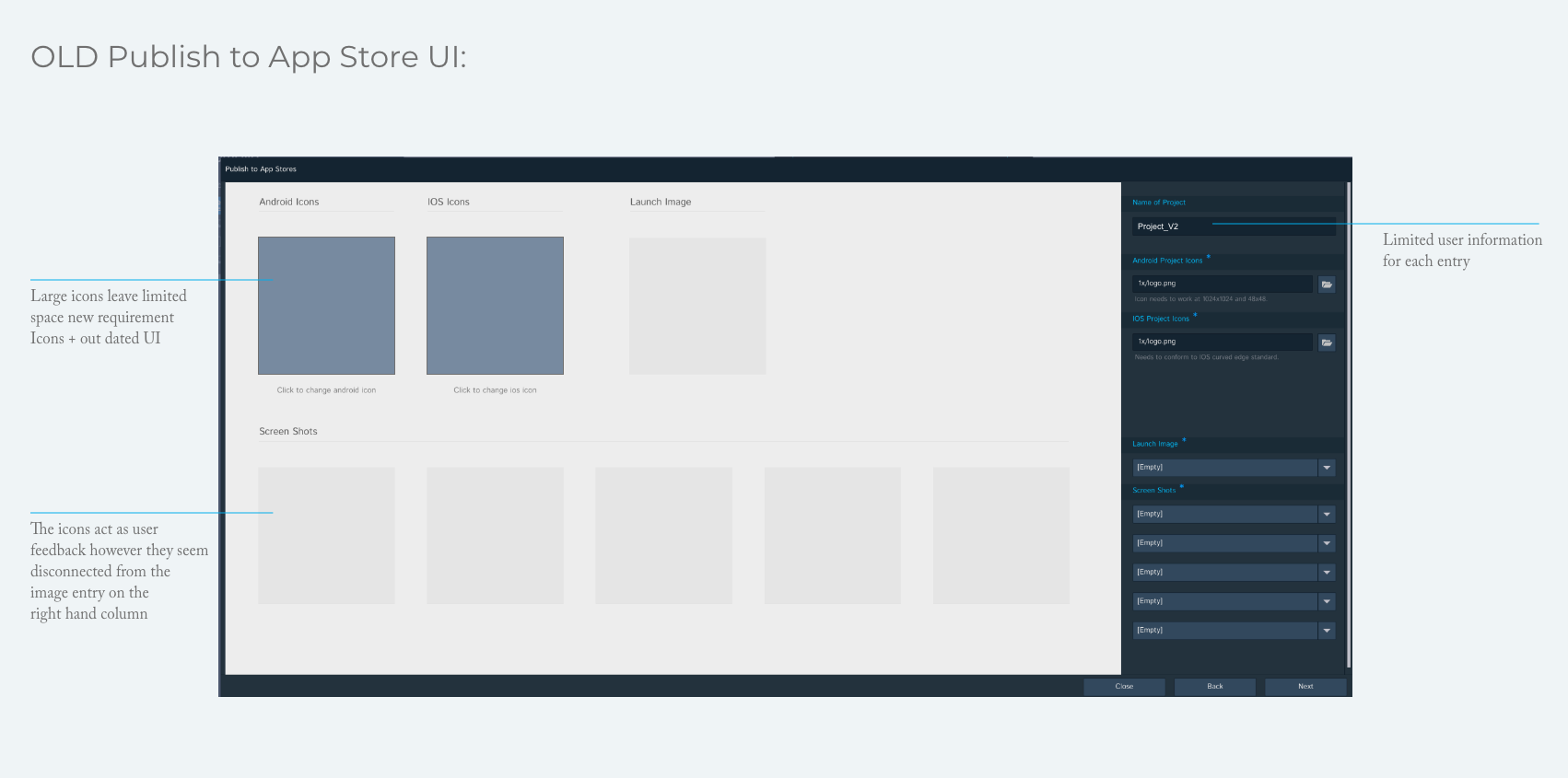
DESIGN APPROACH
User Flow
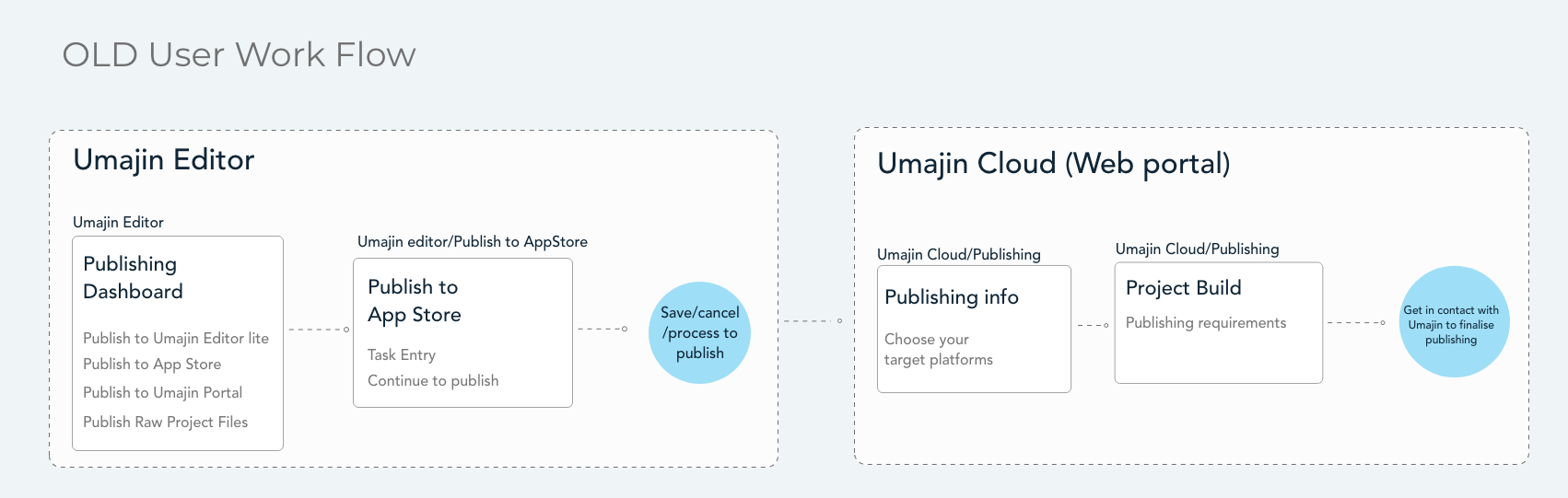
The publishing process is disrupted and broken into two parts, the Umajin Editor, and the web-based Umajin Cloud resulting in a broken user flow.
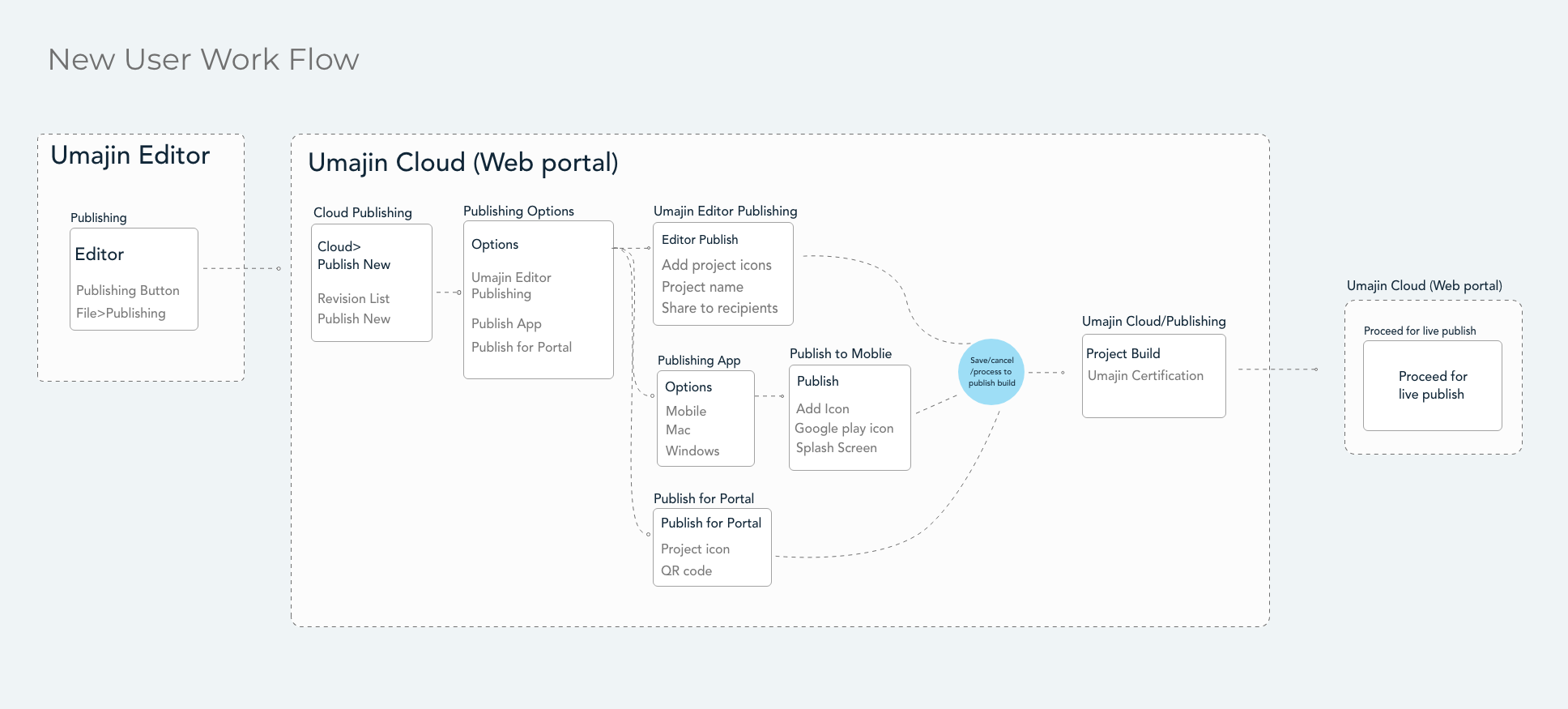
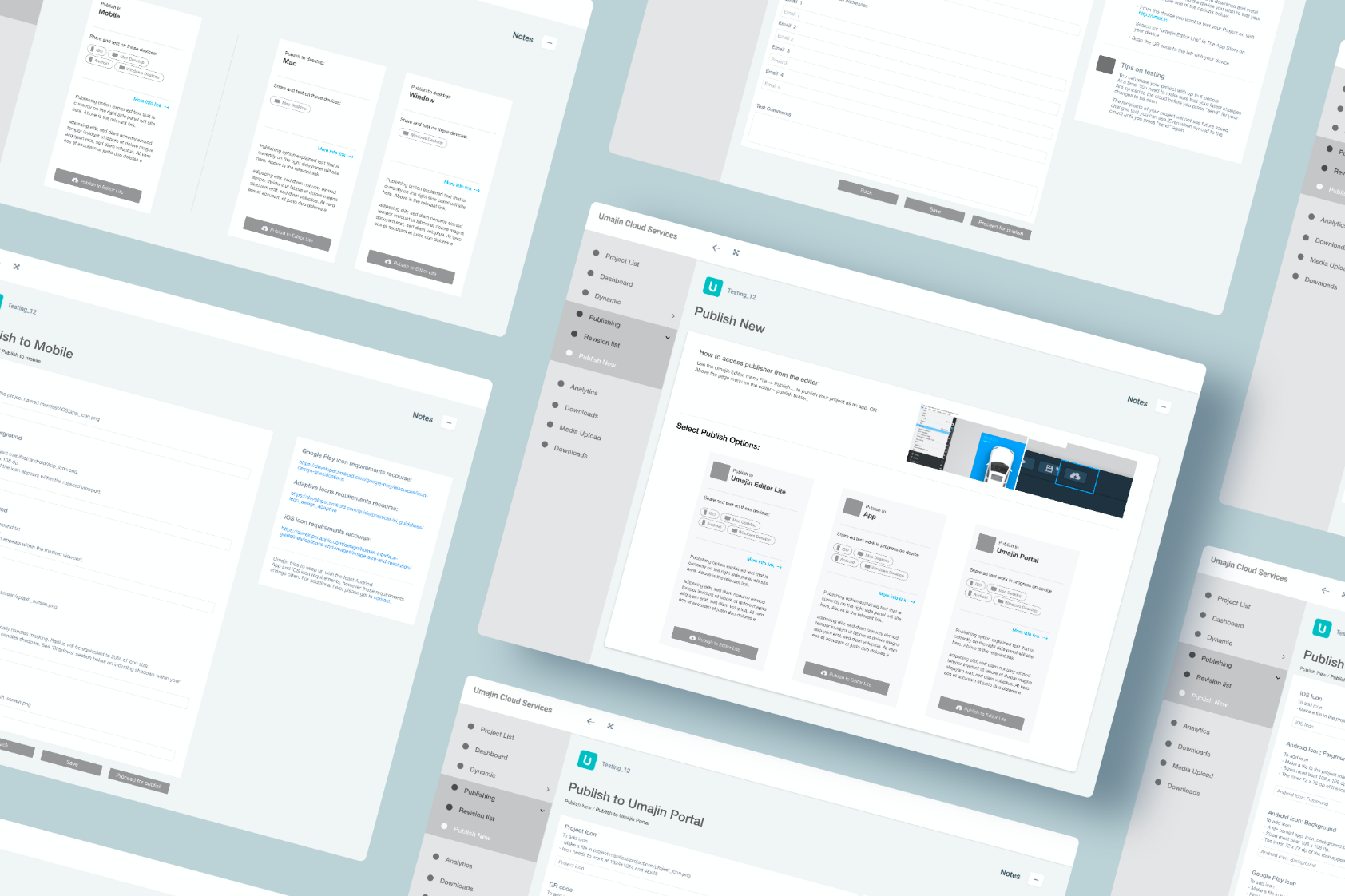
The new user flow unifies and brings together the split publishing process between the Umajin Editor and Umajin Cloud, strengthening the metaphor that Umajin Editor is centered around app creation, and Umajin Cloud supports the management and data of the app project.
Publishing Requirements
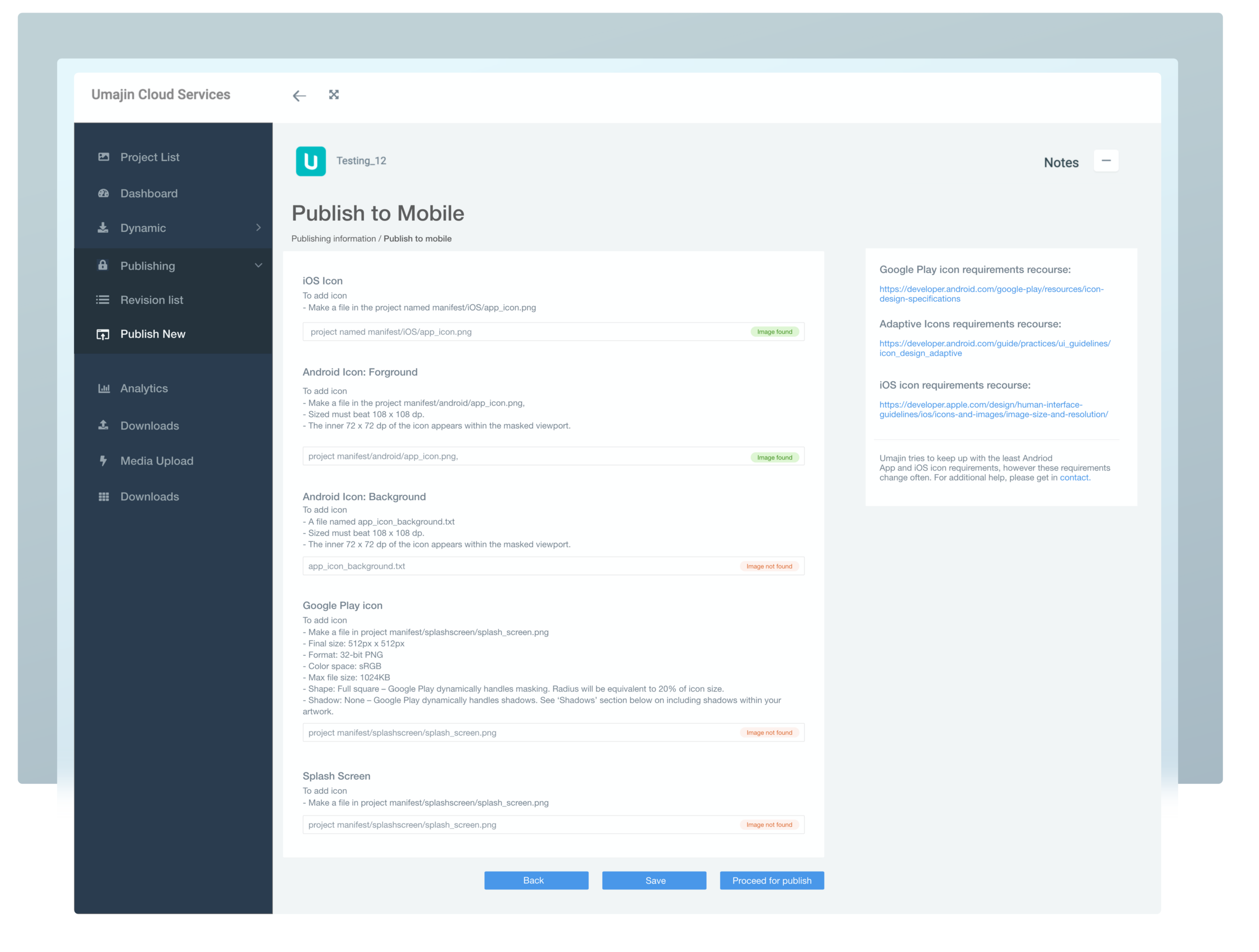
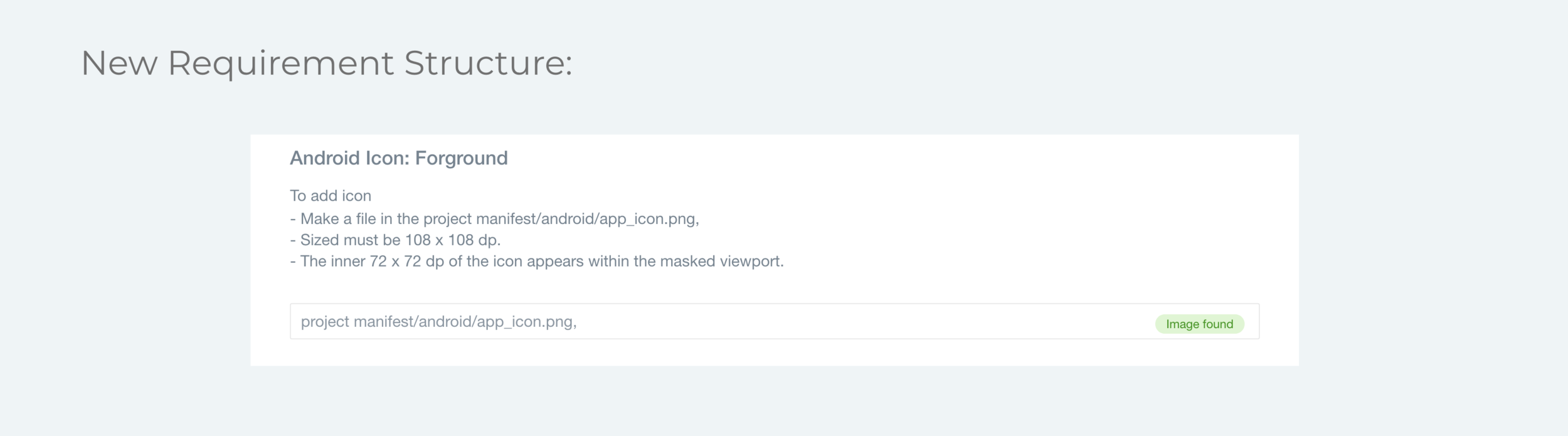
Recent updates to Google publishing requirements and Android adaptive icons mean that the new UI needed to provide accessible and comprehensive upload information and multi assets upload for adaptive icons.
The new UI accommodates these changes through responsive form layouts, lists, and better user feedback prompts.
CONCLUSION
By bringing the Publishing process from Umajin Editor to Umajin Cloud has provided better, more consistent information and improved user ability.
Streamlining the requirements to simple forms helps to keep pace with content changes and user actions. User feedback has been extremely positive and helpful and there have already been some updates to the publishing requirements since the first new UI went live. It was rewarding to see how well the new design was able to adapt so well to the changes.